LINCE PLUS App
Film the session. Capture what the body does.
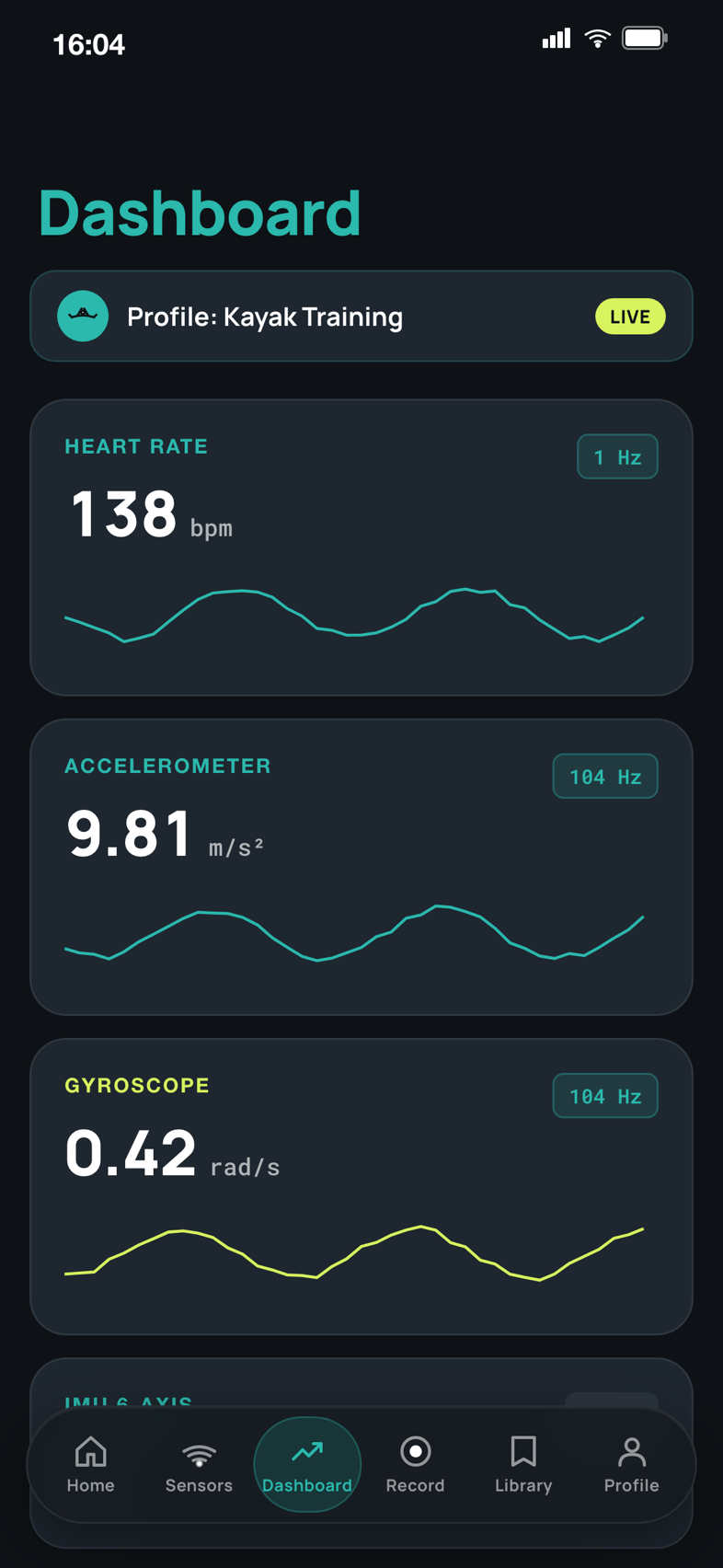
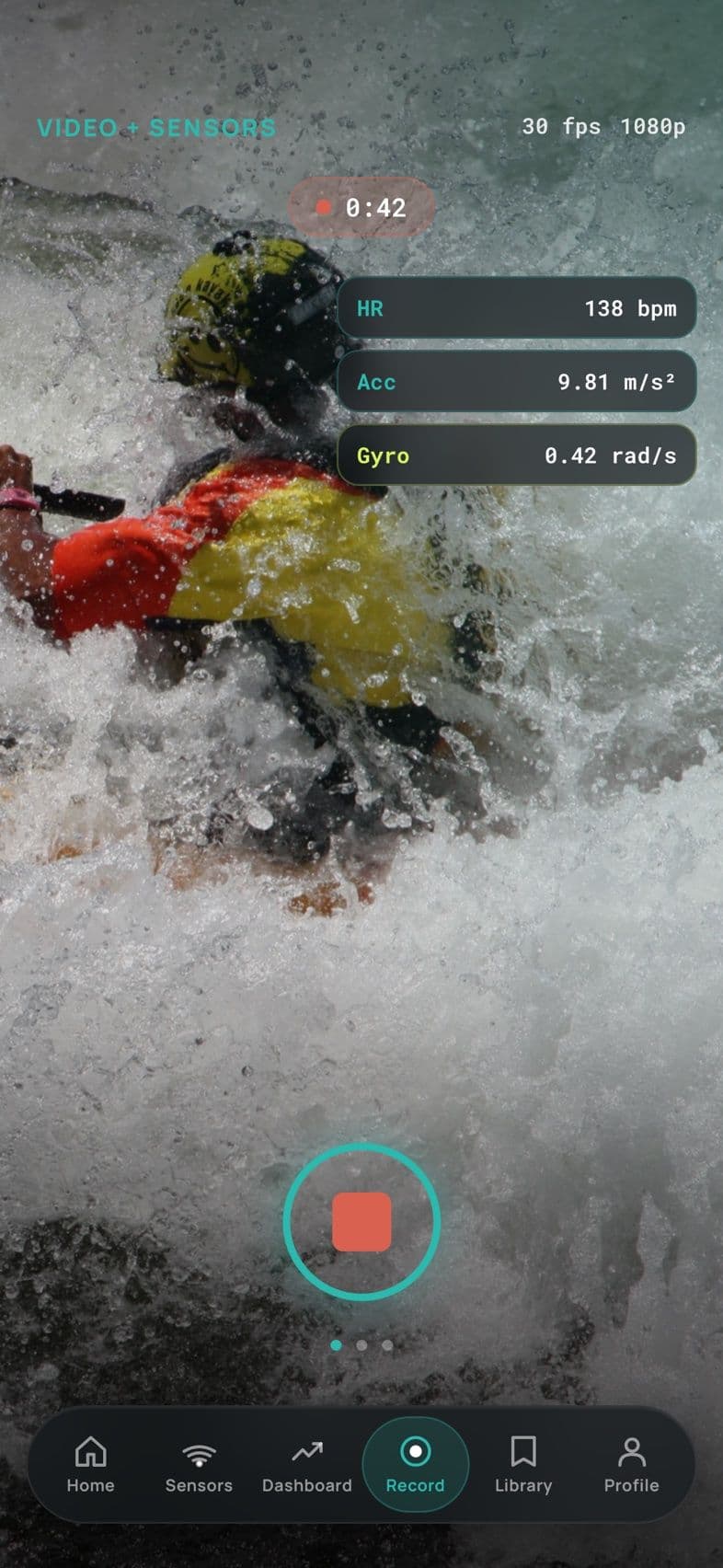
Record video on your phone while a Movesense sensor measures heart rate and movement. Every frame keeps its data, ready to play back and to analyse in LINCE PLUS.
- Wearable sensor
- Movesense
- Set per measurement
- Any sampling rate
- ASYNC method
- Out of range
- Video and sensor data
- Frame-synced
From the pitch to your dataset
From the sensor to the recording, on your phone. The analysis continues in LINCE PLUS Desktop or Cloud.
01
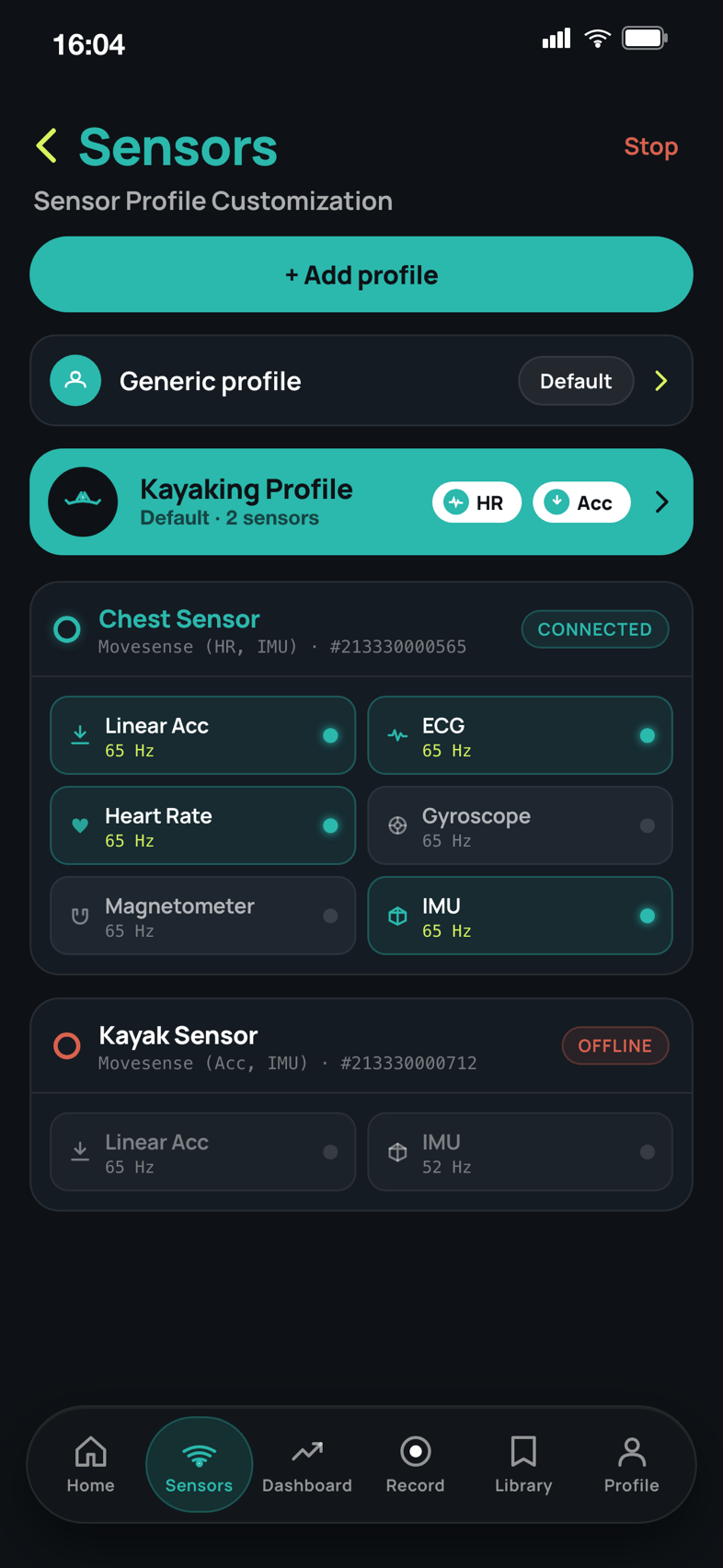
Connect a sensor in seconds
The app finds nearby Movesense sensors over Bluetooth and shows their signal. Save the ones you use and connect to them again with one tap.
02
Watch the signal live
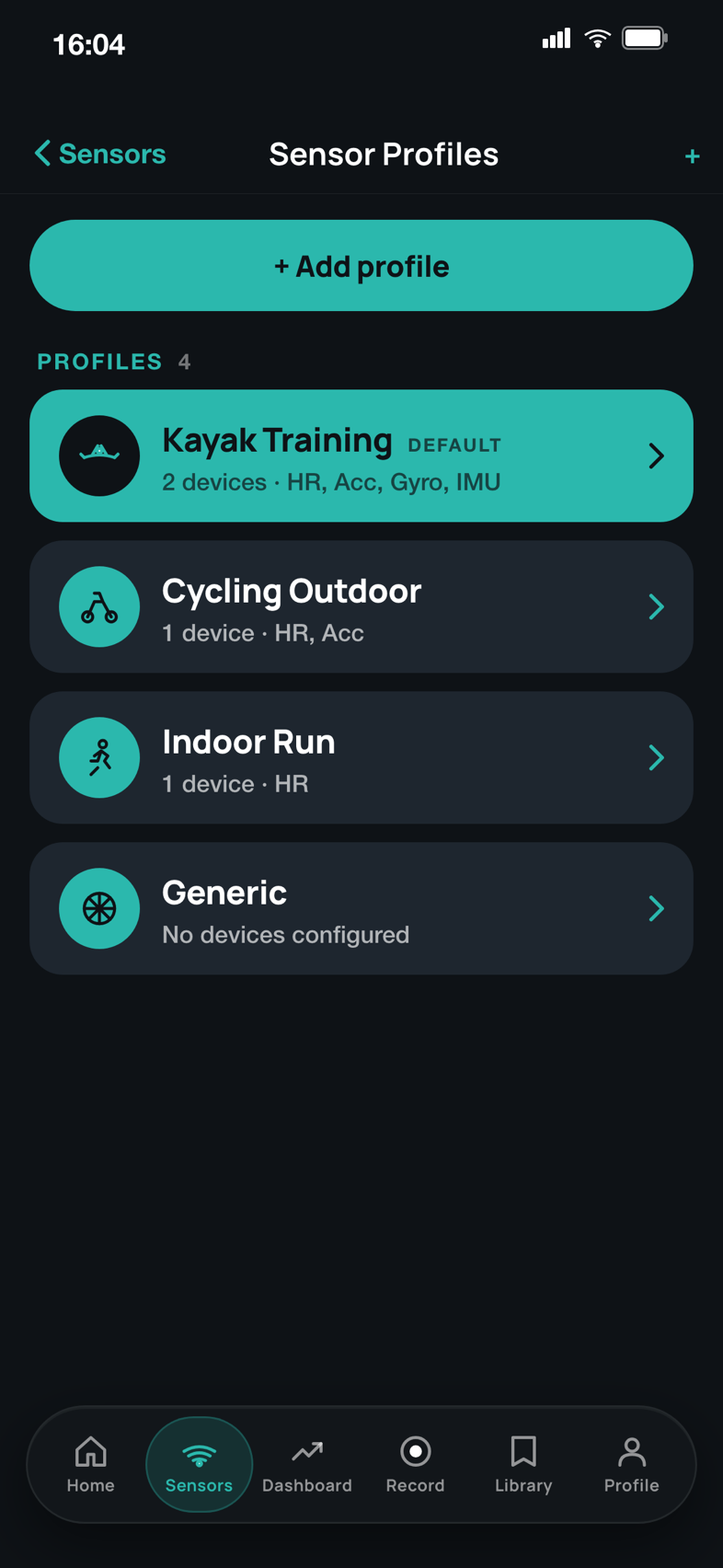
Heart rate, acceleration and rotation on one dashboard, each stream switched on or off as you need it. Check the sensor is placed and working before the session starts.
- Heart rate and RR intervals
- Accelerometer, gyroscope and combined inertial measurement
- Your own sampling rate for each measurement
03
Record video and data together
The camera and the sensor run on the same clock. You film as usual, with the live values over the picture, and the app saves the video with its sensor data. When the athlete is out of Bluetooth range, the ASYNC method keeps the sensor recording in its own memory, and the app rejoins that data with the video afterwards.
- ASYNC method for out-of-range support
- Sensor data rejoined with the video afterwards
04
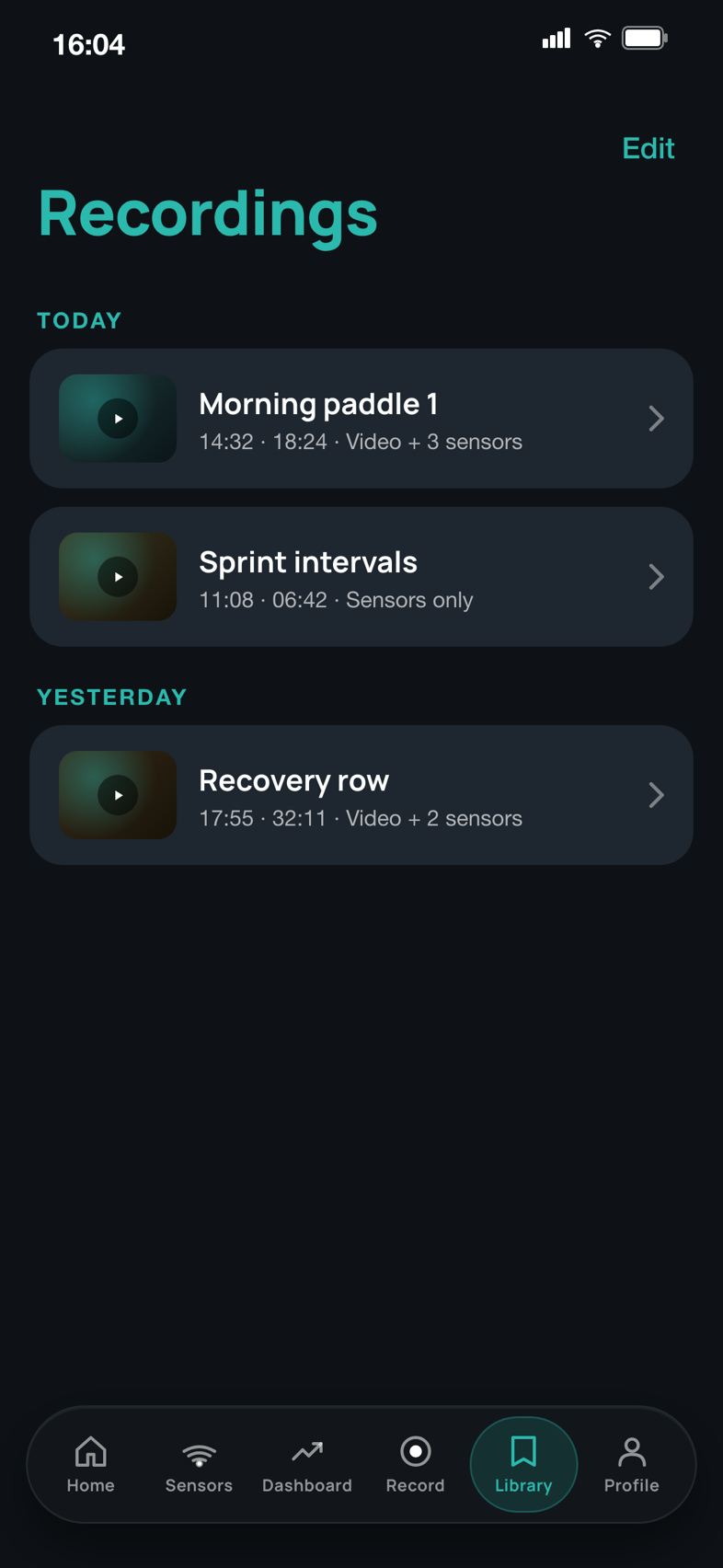
Play it back with the data on top
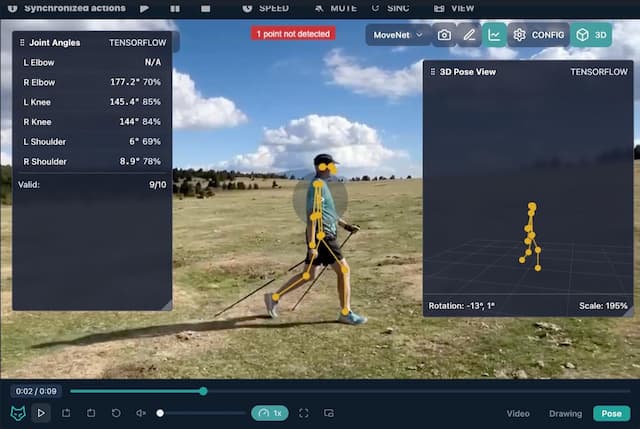
Open any recording and see the sensor values move with the video. Find the moment the heart rate peaks or the impact happens, and see what the athlete was doing.
05
Continue in LINCE PLUS
Bring the recording into LINCE PLUS Desktop or Cloud and the sensor data is layered over the video, in step with your observation record.
What you need to know
| Availability | By invitation, as a beta. Not in the App Store yet. |
|---|---|
| Price | 100% free to use until the app is finished. |
| Sensor | Movesense, over Bluetooth Low Energy. |
| Measures | Heart rate and RR intervals, accelerometer, gyroscope and combined inertial measurement. |
| Sampling rate | Chosen for each measurement, from the rates the sensor supports. |
| Out of range | ASYNC method: the sensor records in its own memory and the app rejoins the data with the video afterwards. |
| Recording | Video with time-synchronised sensor data, stored on the phone. |
Which LINCE PLUS is for you?
LINCE PLUS Desktop
For researchers who work on their own computer.
- Free and open source
- Data stays on your computer
- AI player, analysis and exports
LINCE PLUS Cloud
For adding AI to everything in Desktop.
- Everything in Desktop
- AI match analysis and tracking
- Your video stays on your device
You are here
LINCE PLUS App
For recording in the field with wearable sensors.
- On your phone
- Sensor data with the video
- Continues in Desktop or Cloud
Questions about LINCE PLUS App
Is LINCE PLUS App published?
Not in the App Store yet. For now the app is available by invitation, as a beta, while we finish the corner cases. It is 100% free to use until it is finished.
Which sensors does LINCE PLUS App work with?
Movesense wearable sensors, connected over Bluetooth Low Energy.
What does the app measure?
With a Movesense sensor it records heart rate and RR intervals, acceleration and rotation, synchronised with the video filmed on the phone.
Can I record when the athlete is far from the phone?
Yes. With the ASYNC method the Movesense sensor stores the data in its own memory, so it keeps recording outside Bluetooth range. When the sensor is close to the phone again, the app downloads the data and rejoins it with the video.
Which sampling rate does the app use?
You choose it. Each measurement, such as acceleration or rotation, has its own sampling rate, picked from the rates the connected sensor supports.
Take LINCE PLUS to the field
Scan the code with your phone to get the app.