LINCE PLUS Desktop
Turn any video into observational data
Design your observation instrument, code what happens on screen, check that observers agree and analyse the result. Free and open source, now with an AI video player.
Windows, macOS and Linux · no account needed
- Open source, GPL v3
- Free
- Platforms
- Windows · macOS · Linux
- English, Spanish, Catalan, German
- 4 languages
- In peer-reviewed research
- Since 2012
Everything an observational study needs
From the first category to the exported dataset, in one application.
01
Build your observation instrument
Define the criteria you will observe and the categories each one can take. Reuse an instrument across projects or start from one shared by a colleague.
02
Code the video as it plays
Register each behaviour with one click or key while the video runs. Every record keeps its moment in the video, so order and duration are preserved.
- Videos from your computer, YouTube or Vimeo
- Several videos side by side
- Slow motion and frame by frame
- Autosave every two minutes
03
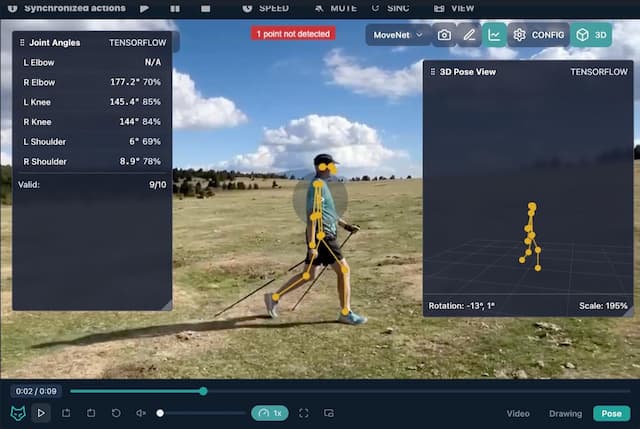
An AI player that sees the bodyNew in 4
Detect body pose in 2D and 3D straight from the video, with no markers, and read joint angles live as it plays.
- Joint angles with their confidence
- 3D pose view
- No markers or extra hardware
04
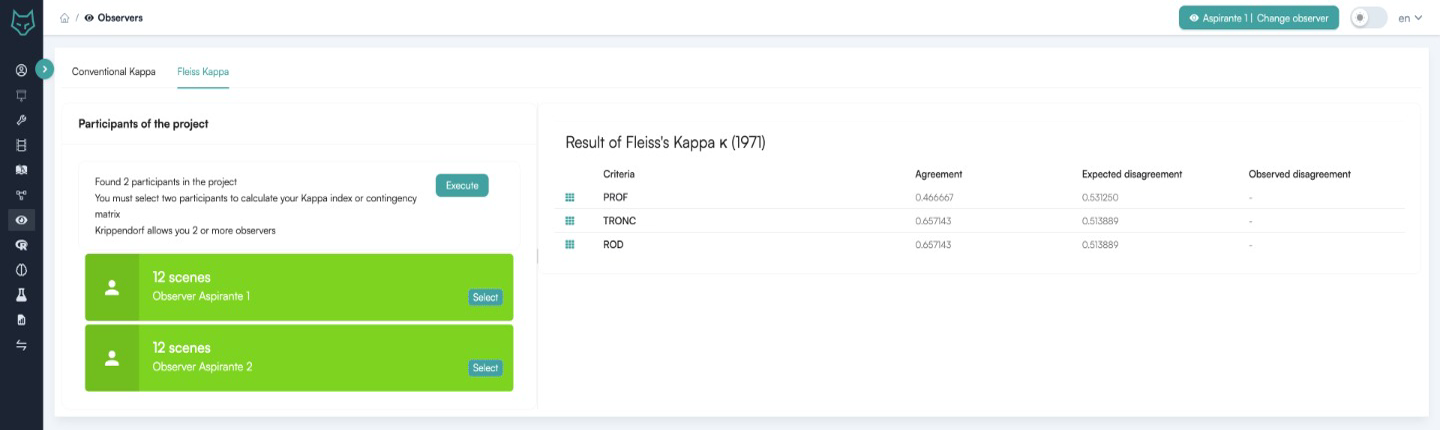
Prove your data is reliable
Compare the records of two observers, or of one observer at two moments, and measure how far they agree. Reviewers ask for it; LINCE PLUS calculates it.
- Fleiss' kappa
- Krippendorff's alpha
- Percentage agreement
05
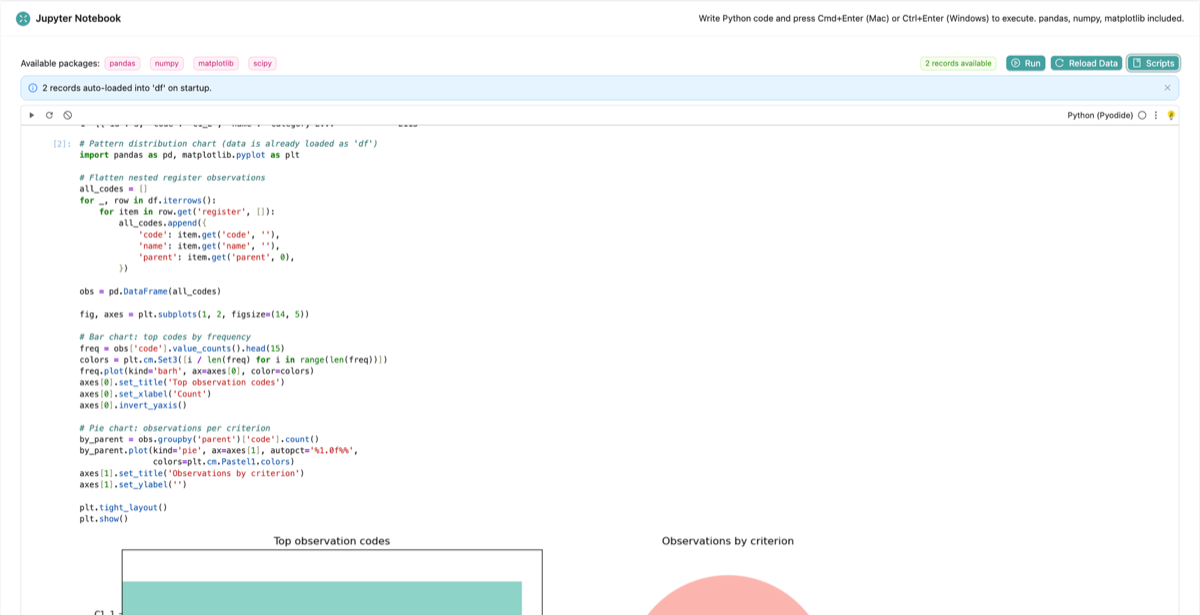
Analyse without leaving the app
Explore the results in built-in charts, or open the research notebook and work on your records with Python: pandas, numpy, matplotlib and scipy are already there.
- Export to GSEQ, Theme and HOISAN
- CSV, Excel and SAS
06
Your data stays on your computer
Projects, videos and records live in a folder on your own machine. There is no account to create and nothing to upload: your research data is never exposed to us or to anyone else, unless you export it yourself.
- No account or sign-in
- Videos play from your disk, never uploaded
- You decide what to export and share
What you need to know
| Platforms | Windows, macOS and Linux. |
|---|---|
| Price and licence | Free. Open source under the GNU General Public License v3. |
| Video | Plays your files where they are; built-in conversion to MP4. |
| Opens | LINCE PLUS projects and Lince 1 files (.ilince, .rlince). |
| Exports | CSV, Excel, SAS, SDIS-GSEQ, Theme and HOISAN. |
| Your data | Projects, videos and records stay on your computer. No account is needed. |
Which LINCE PLUS is for you?
You are here
LINCE PLUS Desktop
For researchers who work on their own computer.
- Free and open source
- Data stays on your computer
- AI player, analysis and exports
LINCE PLUS Cloud
For adding AI to everything in Desktop.
- Everything in Desktop
- AI match analysis and tracking
- Your video stays on your device
LINCE PLUS App
For recording in the field with wearable sensors.
- On your phone
- Sensor data with the video
- Continues in Desktop or Cloud
Questions about LINCE PLUS Desktop
Is LINCE PLUS Desktop free?
Yes. LINCE PLUS Desktop is free and open source, published under the GNU General Public License v3. There is no paid version of the desktop application.
Which operating systems does it run on?
Windows, macOS and Linux. The installers are on the project's releases page on GitHub.
Do my videos leave my computer?
No. LINCE PLUS Desktop plays your videos where they are and stores projects and records in the folders you choose. Nothing is uploaded.
Which analysis programs can I export to?
LINCE PLUS exports the observation record to SDIS-GSEQ, Theme and HOISAN, the usual tools for sequential and pattern analysis, and to CSV, Excel and SAS.
Can I open projects made with the first Lince?
Yes. LINCE PLUS opens the Lince 1 formats (.ilince and .rlince) as well as its own projects.
How do I cite LINCE PLUS in a paper?
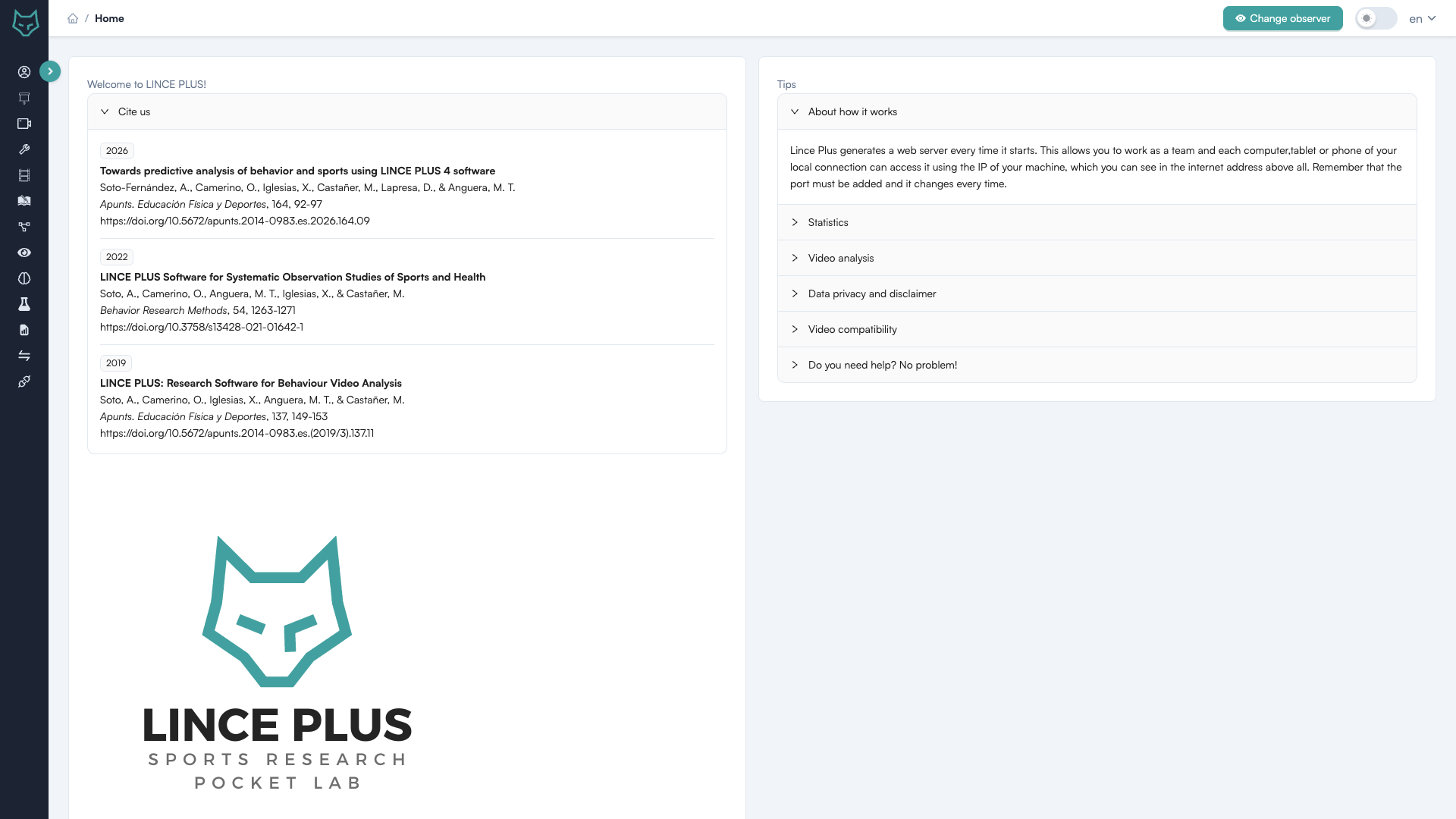
Cite the article that describes the software. The research page of this site lists the papers with their references ready to copy.
Start your first study today
LINCE PLUS Desktop is free. Download it, open a video and begin coding.